Your lab runs cases.
Monolith runs your lab.
Monolith gives Law Enforcement digital forensics teams a single system to manage intake, evidence, case files, reporting, and chain of custody.
Relay is a secure, web-based forensic intake portal that lets your partners submit work requests directly into Monolith. Your team receives complete, structured inquiries ready to triage and assign.
Your lab decides which information is required. Choose which case & evidence fields appear on the Relay form, so every request comes in with the details your team needs.
Submitters can check the status of their case requests within Relay. Fewer phone calls and emails asking for updates, more time for your team to focus on the work.
Exchange comments directly in Relay. Questions, clarifications, and updates all stay in one thread tied to the request. Receive automatic emails when new comments are made.


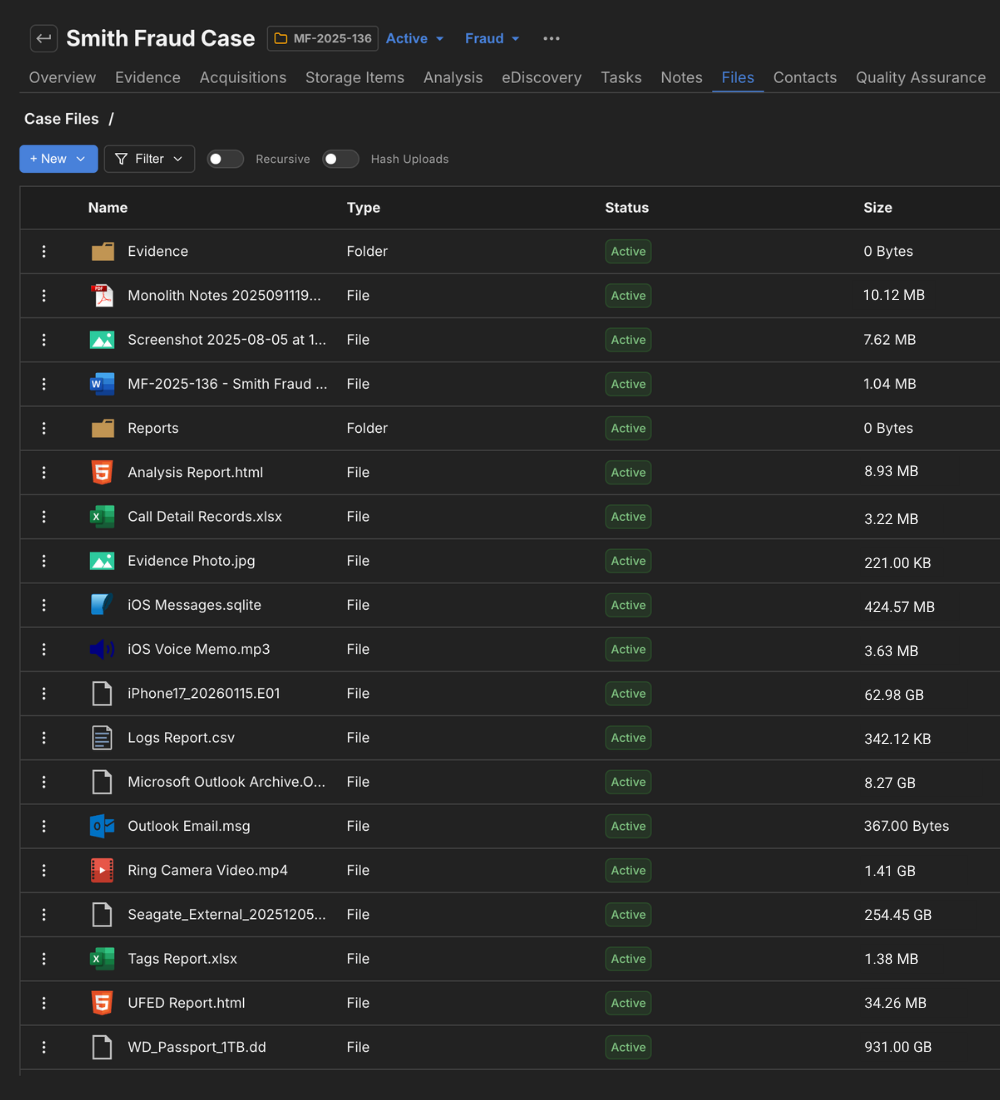
Evidence items, acquisition details, examiner notes, files, tasks, and chain of custody records all live under the same case record. No more hunting through shared drives or cross-referencing spreadsheets.
Store and organize files directly within the platform. Everything is tied to its case, so there's no ambiguity about what belongs where.
Store forensic images, extraction reports, media files, call detail records, and case documentation. Upload, organize, and retrieve files from the same place you manage everything else.
Share files securely with outside stakeholders via Relay or download them when you need a local copy.
Need long-term digital evidence storage to meet retention policy requirements? Store them securely within the Monolith platform.
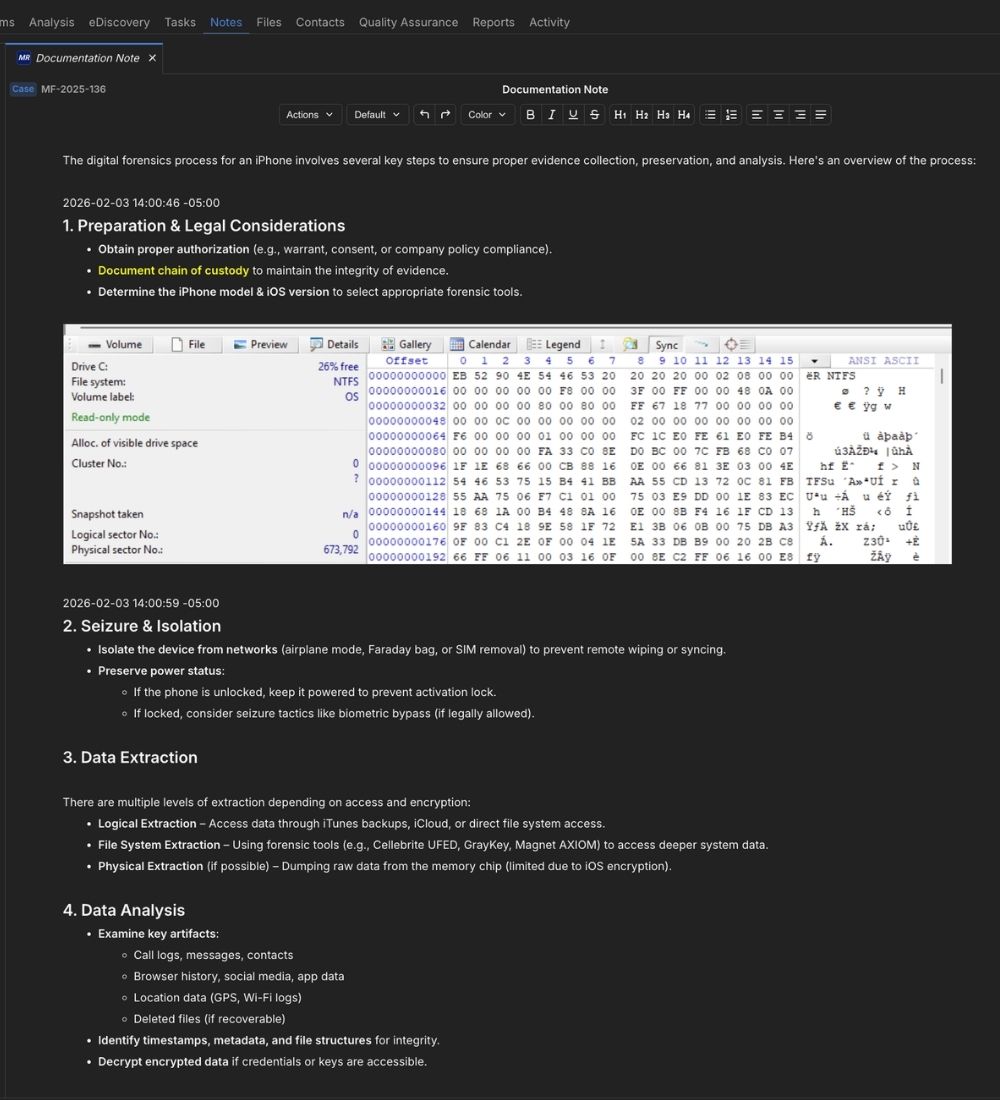
Monolith's notes system lets you document your process and findings using a rich text editor directly within the platform. Create notes linked to cases, evidence items, or tasks.
Format notes with full rich text controls and embed images inline via drag-and-drop or slash commands.
Notes save automatically and frequently. Every version is stored and accessible, so you can reference or restore earlier drafts.
Build a standard note structure once, save it as a template, and make it available to everyone on the team.
Notes carry their formatting into generated reports. No reformatting or copy-paste required.
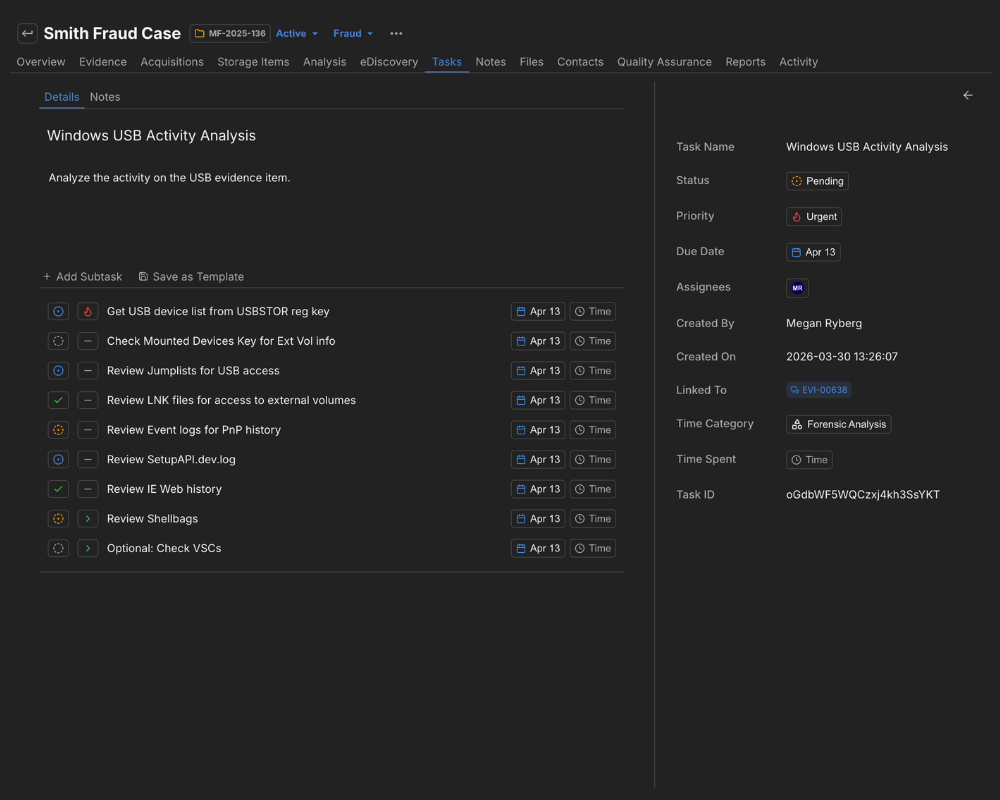
Create tasks and subtasks tied to specific cases or evidence items, assign them to team members, and track progress in a board (Kanban) or list view.
Lab managers can see workload and status across the team, examiners get a clear picture of their to-do's.
Standardize your project management with templated tasks and subtasks. Set up repeatable processes and workflows.
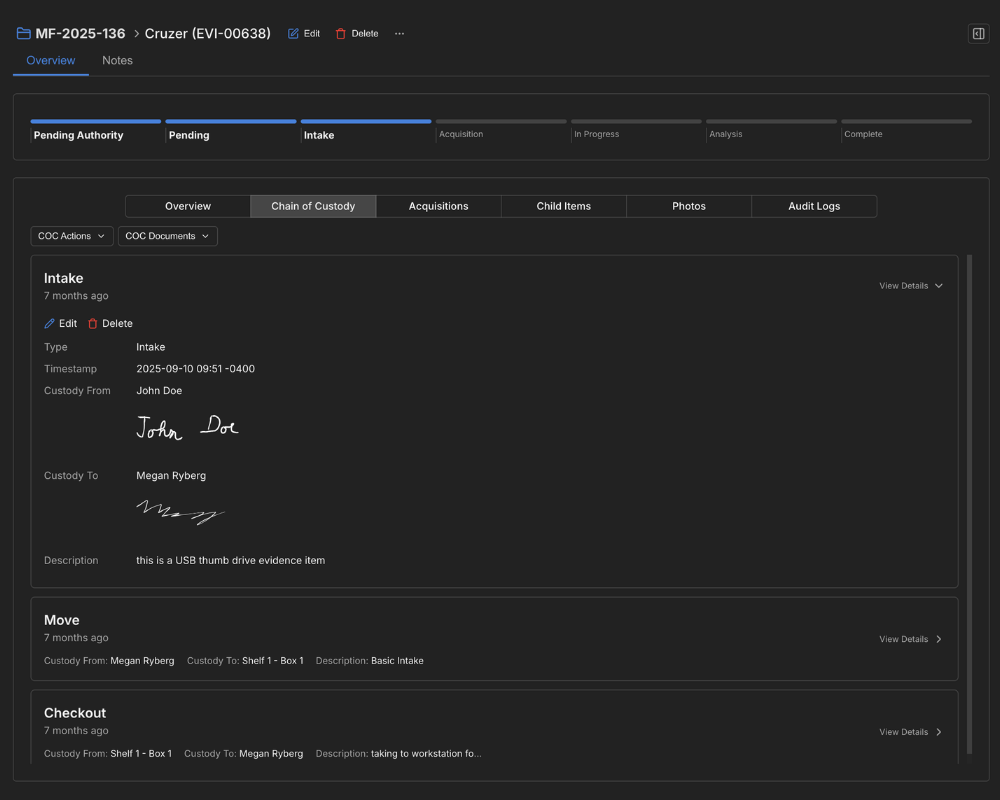
Log every transfer, check-in, and check-out with timestamps and user attribution. When it's time for an audit or court proceeding, the history is already there.
Collect digital signatures for chain of custody records within the Monolith platform or from our mobile app.
Need a copy of chain of custody records to share with outside stakeholders? Export an item's full chain of custody record to a PDF in two clicks.
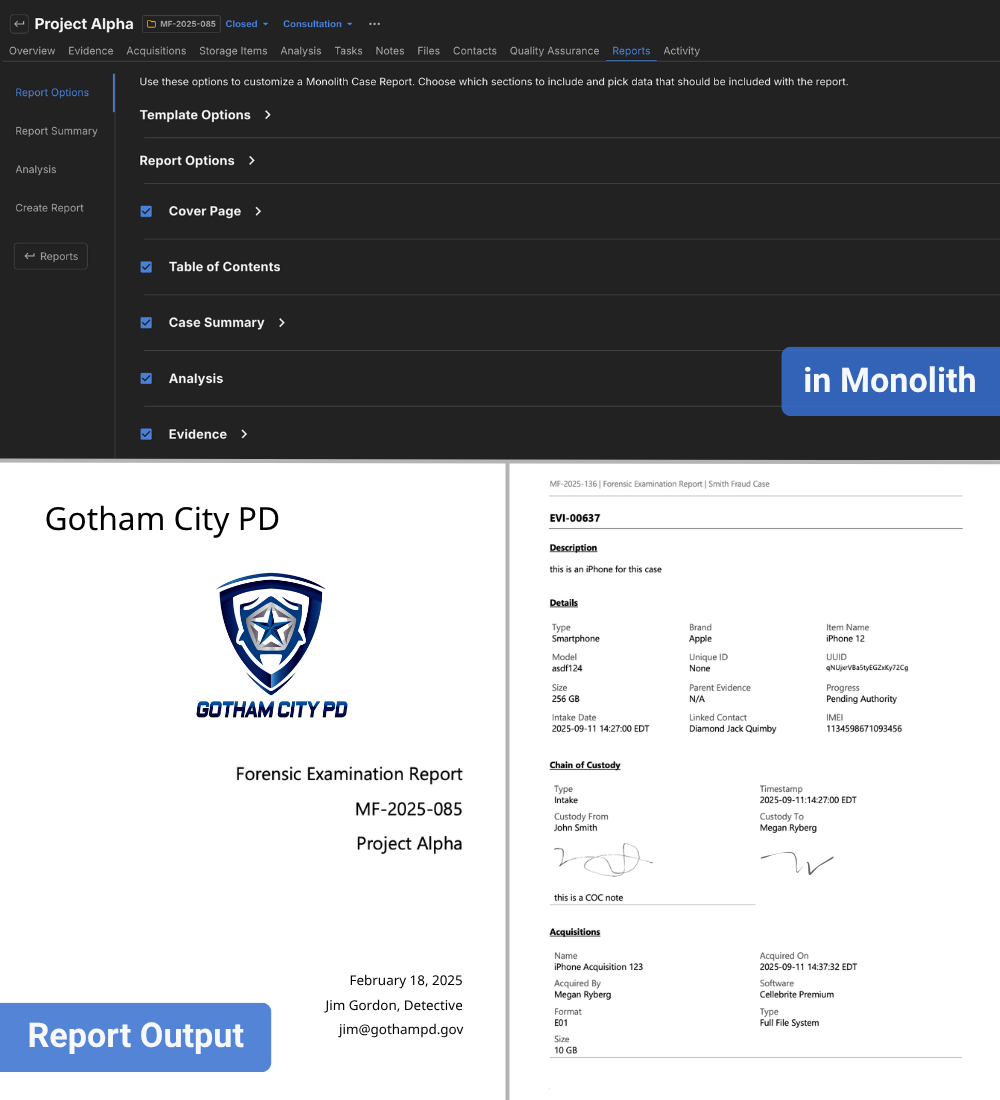
Instantly generate professional reports with your case details, evidence items, data collection logs, and even your case notes, complete with formatting and images.
Write your summary and analysis directly within Monolith. When the report generates, it's included automatically alongside the case data.
Define exactly how your reports look with DOCX templates. Set your structure once so every report follows the same format.
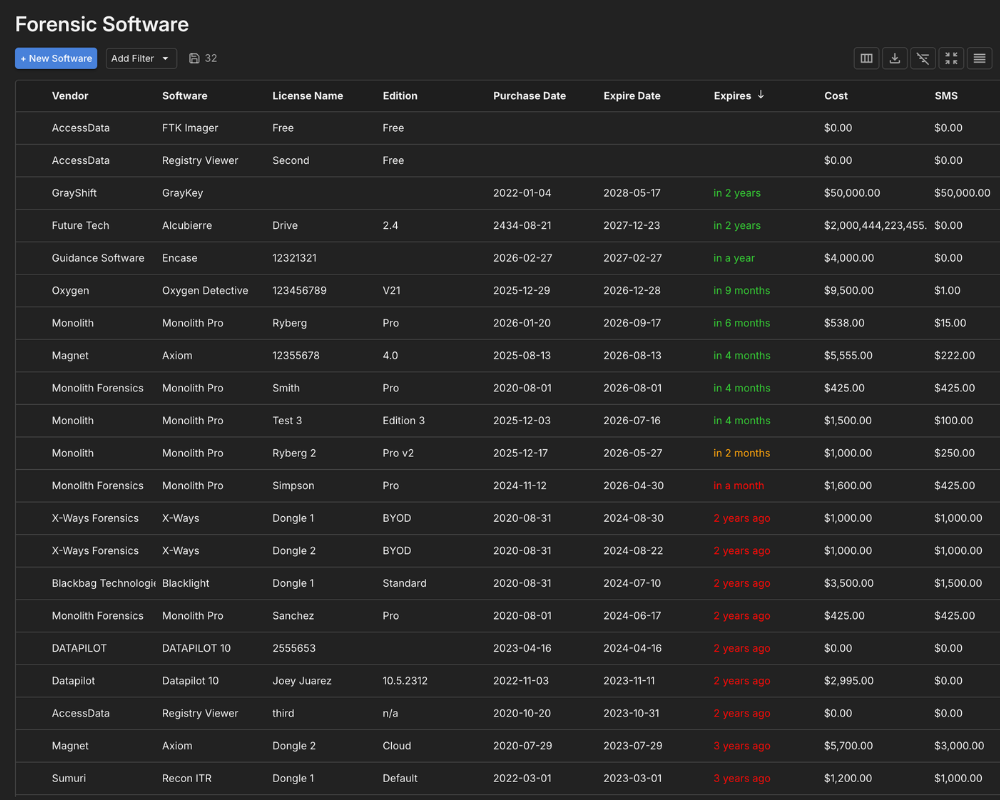
Track the software licenses and physical equipment your lab depends on. Workstations, write blockers, forensic tools, and their associated details are all documented in one place. When it's time to plan renewals, justify purchases, or respond to an accreditation review, the information is already organized.
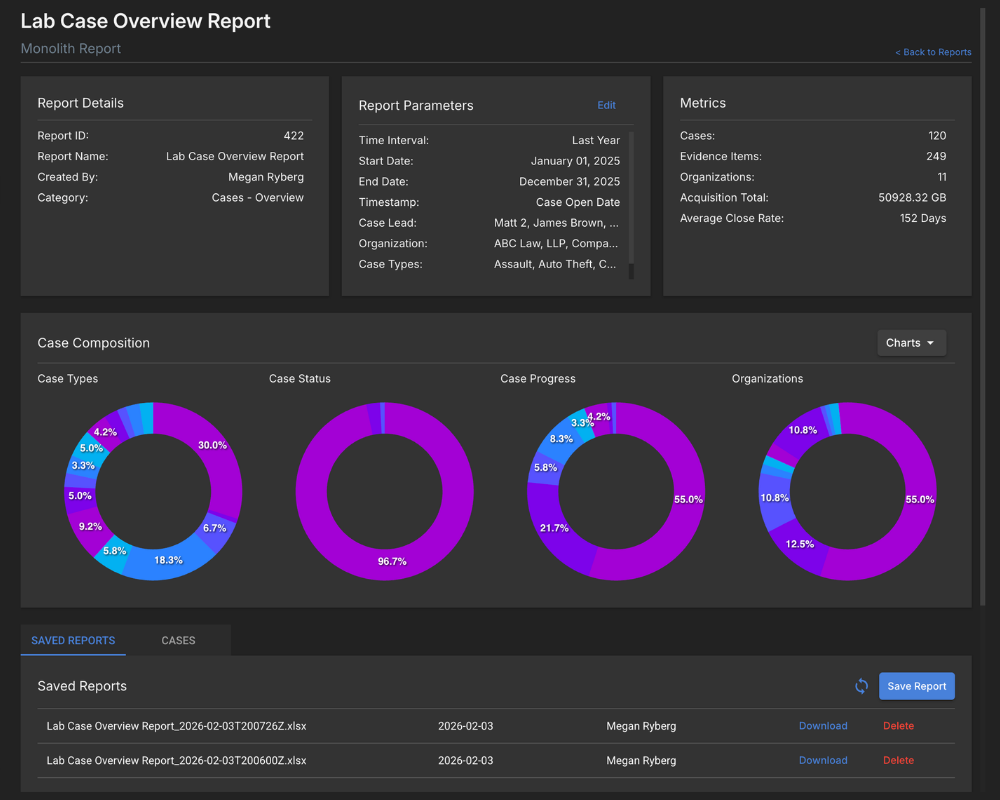
Create metrics reports on cases, evidence, storage items, acquisitions, QA entries, and time entries. Export the results to share with leadership or budget committees.
Pull metrics of how much casework and evidence items your lab has worked on over the past year. When you need to justify a new budget request, you can show why you need additional resources.
See metrics on assigned cases and tasks to see exactly how work moves through your lab.
Get started with a free trial and a personalized walkthrough.