Manage collections, evidence, and reporting in one place.
Monolith provides eDiscovery teams a single platform to track data collections, organize evidence, document your work, and generate reports.
Manage data collections, device details, custodian information, documentation, files, and chain of custody records in one system.
Track evidence items, storage items, and collection details under the same case record, so everything stays organized and connected.
Store forensic images, exports, collection logs, and deliverables within the platform. Files stay tied to their case records, so retrieval is straightforward months or years later.

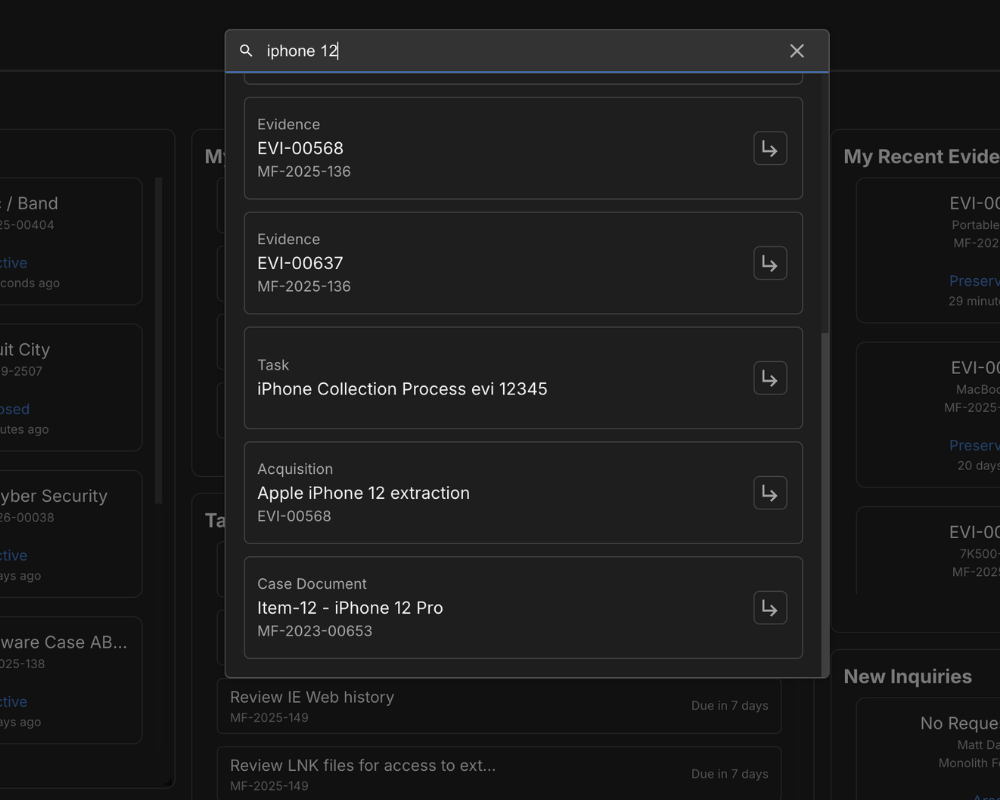
Locate files, records, and case details across the platform in seconds using Monolith's search and filtering tools. No more wasted hours sifting through spreadsheets or shared drives.
Search across cases, evidence, files, data collections, and notes from a single search bar. Results surface immediately so you can get to what you need without clicking through multiple screens.
Build filtered views of your data to narrow down exactly what you're looking for. Filter by date, status, assigned team member, or any other field to isolate the records that matter right now.
Monolith's notes system gives your team a rich text editor built directly into the platform.
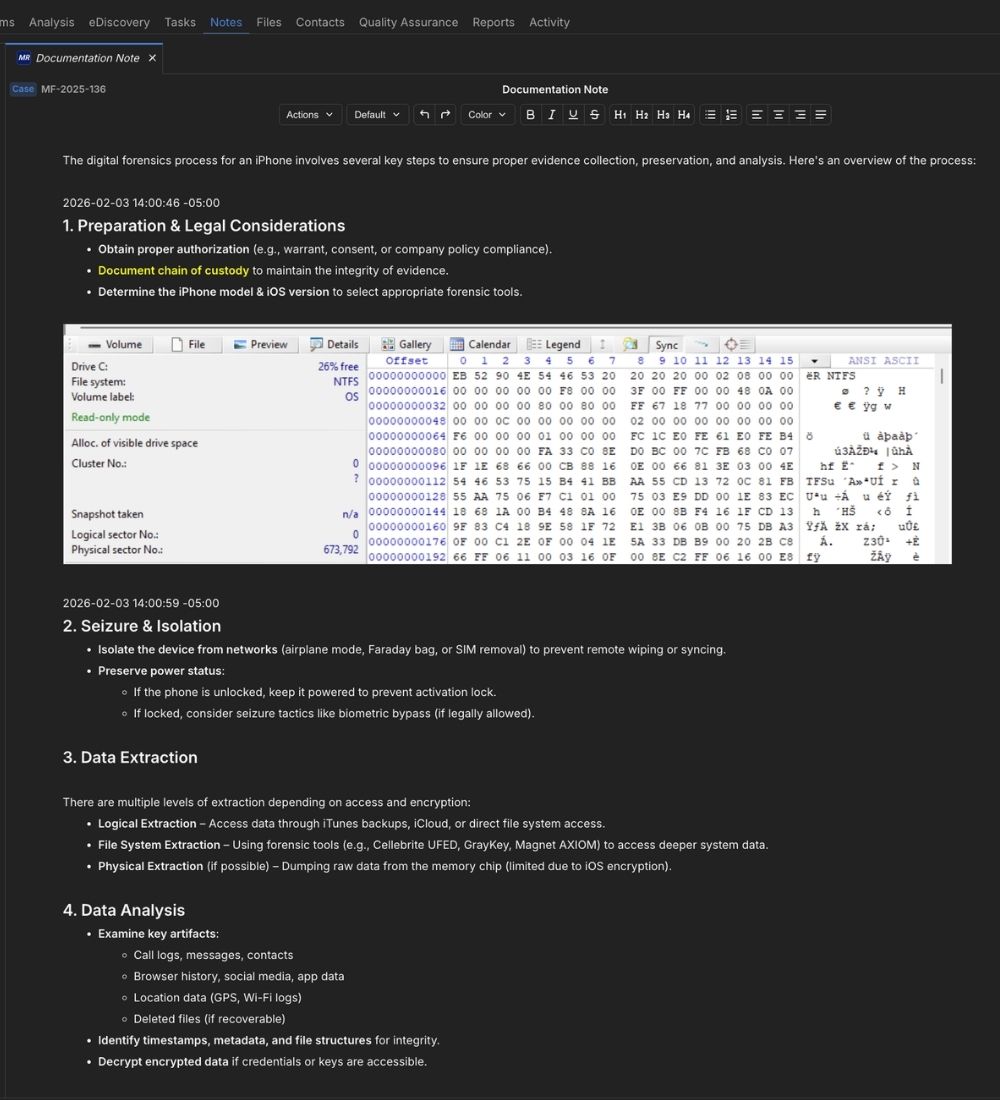
Create notes tied to specific cases, evidence items, or tasks, so context is never lost.
Format notes with full rich text controls and embed images inline. Note formatting carries directly into generated reports.
Build a standard note structure once, save it as a template, and make it available to your entire team for consistent documentation.
Notes auto-save frequently and every version is stored to maintain data integrity.
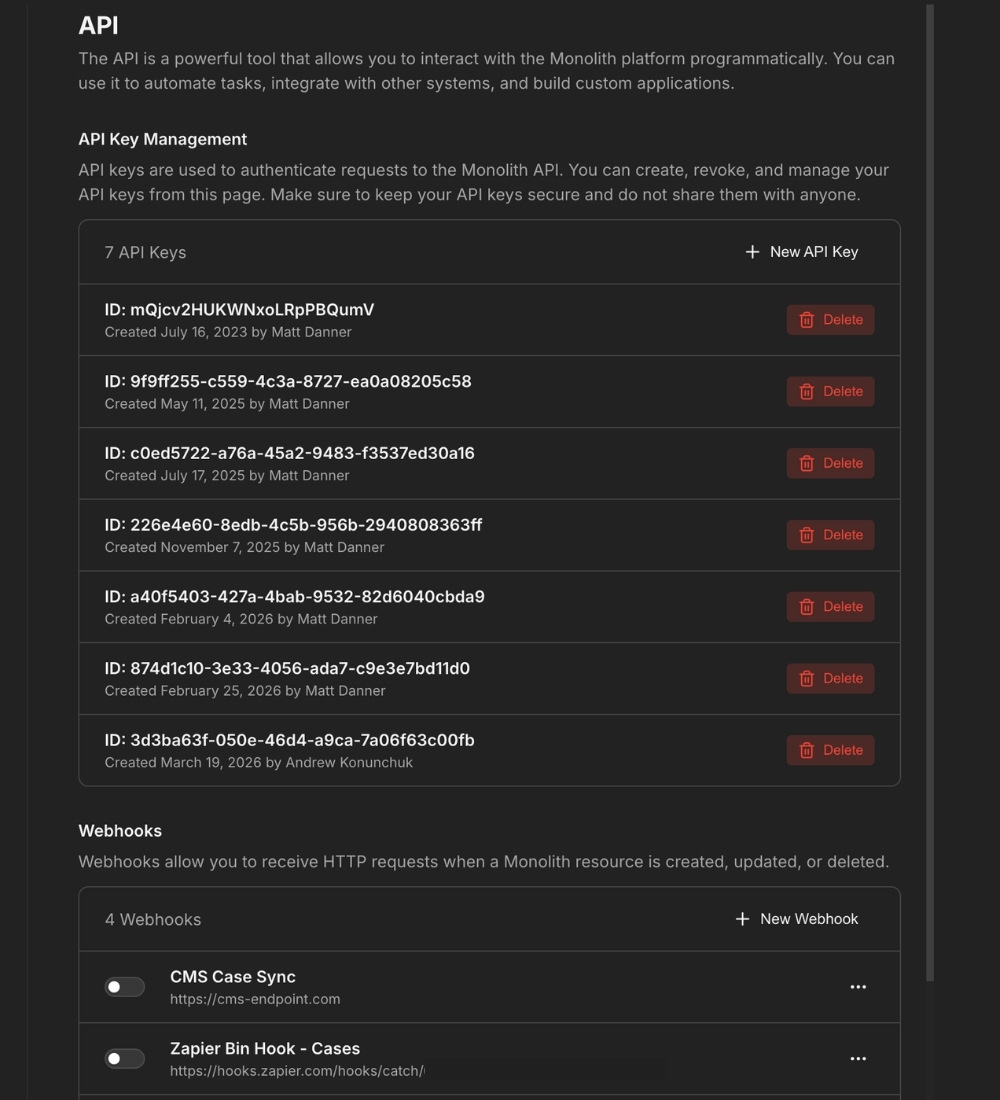
Monolith's REST API and webhook support let your team connect the platform to the other systems you rely on. Push case data to project management tools, sync task updates, trigger notifications, or pull Monolith data into reporting dashboards.
Access case, evidence, chain of custody, task, and storage data programmatically. Build integrations that fit your team's workflow rather than working around limitations.

Set up automated triggers when events happen in Monolith. New case created, evidence status changed, task completed: route those updates to the systems where your team needs to see them.
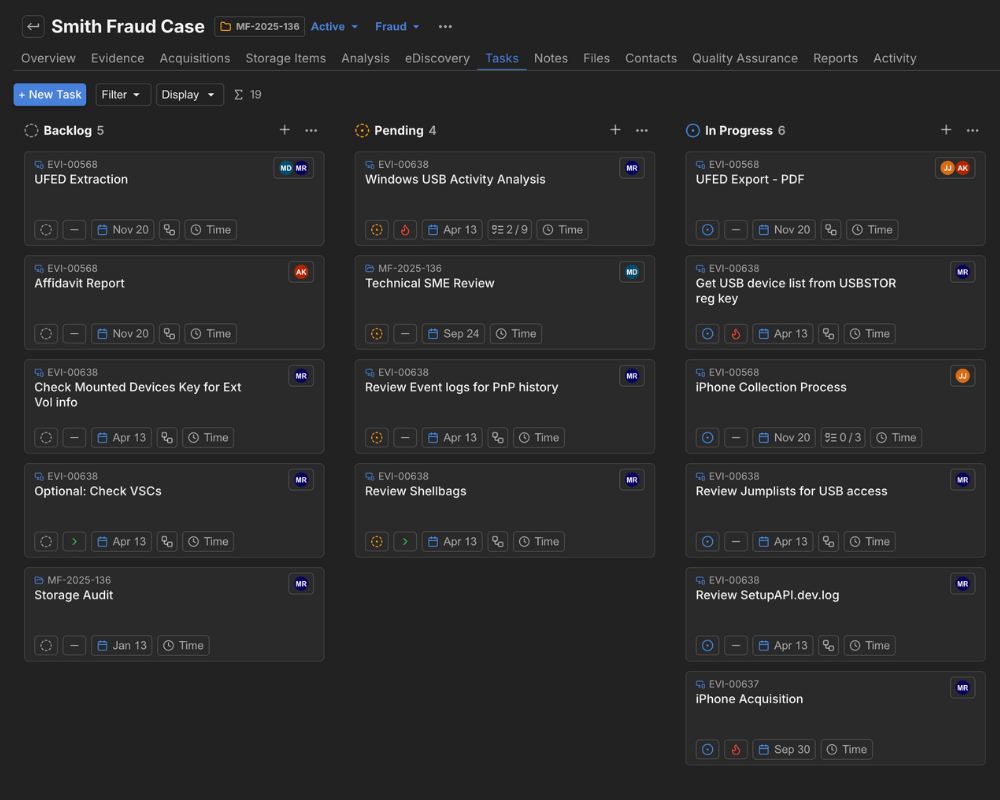
Create tasks and subtasks tied directly to cases and evidence items, assign them to team members, and track progress.
Your project management should understand your workflow. Monolith's task system is built around cases and evidence, so every task has context without having to create it manually.
See workload and status across your team and across matters. Managers can track what's in progress, what's waiting, and what's overdue without chasing updates through Slack or email.
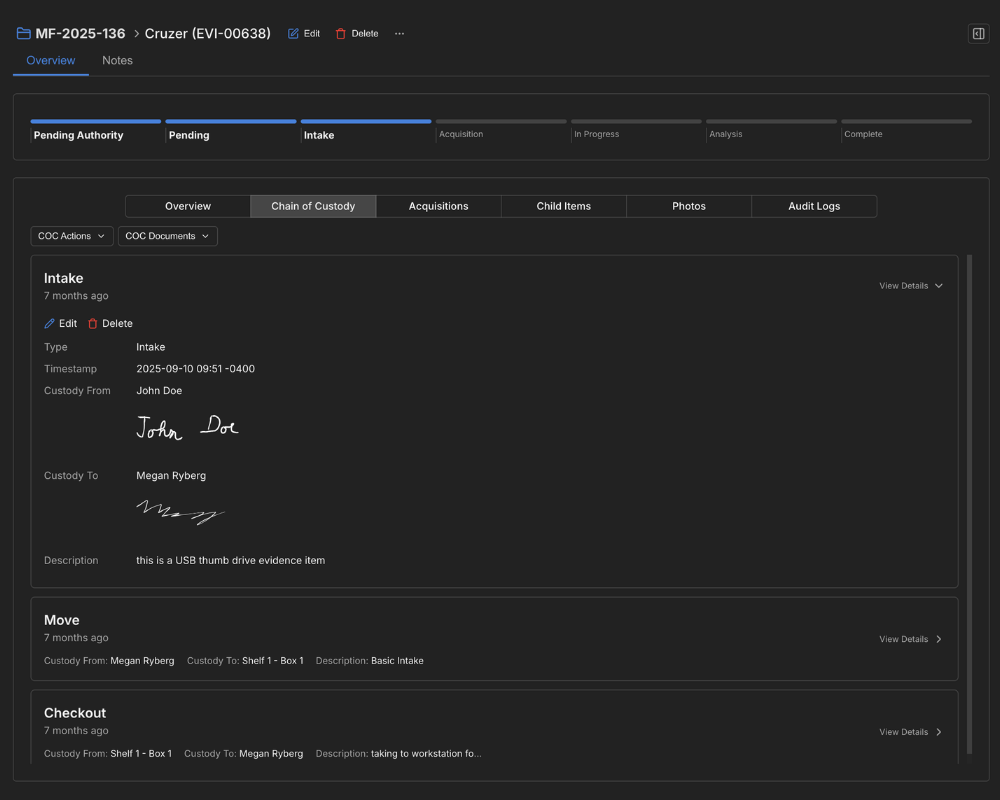
Log every evidence intake, move, and checkout within Monolith. Each entry is timestamped with user attribution, building a clear chain of custody record.
When a client, opposing counsel, or regulatory body requests documentation, the history is ready to share and can be exported to a PDF.
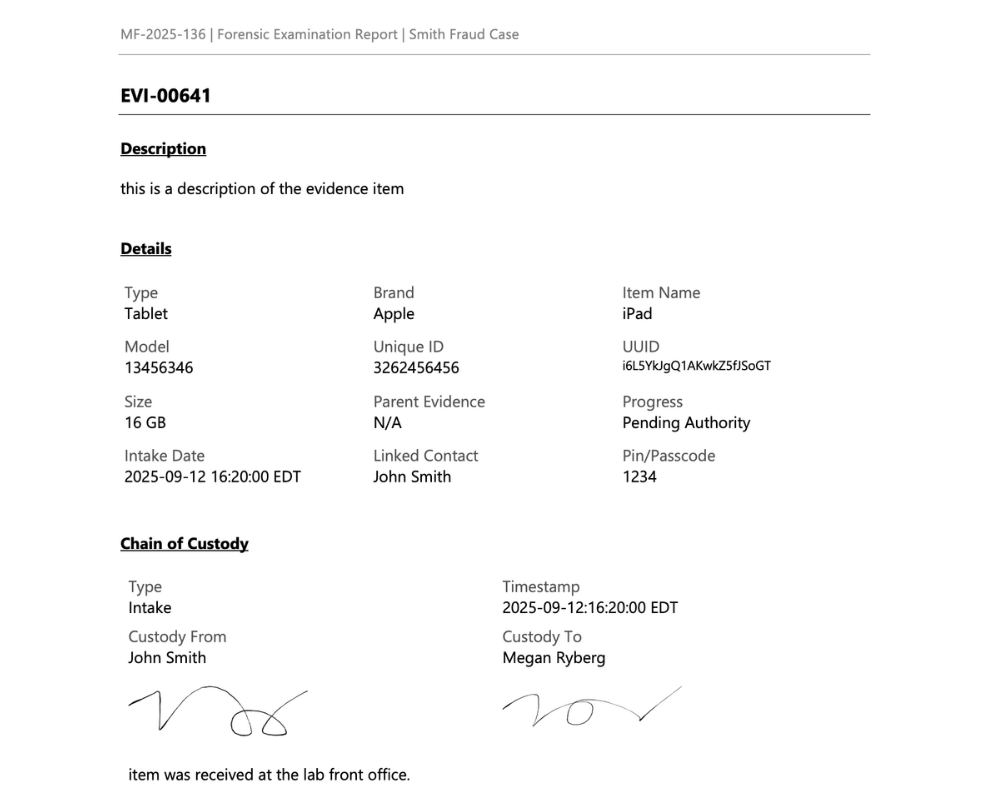
Generate professional reports populated with your case data, evidence details, and analyst notes. Use our standard template or create your own report template for consistent report design.
Write your summary and analysis directly within Monolith. When the report generates, it's included automatically alongside the case data.
Define your report structure with templates. Set the format once and every report follows the same layout.
Monolith is SOC 2 Type 2 compliant and uses FIPS level encryption for data at rest and in transit.
Every customer gets their own database and file storage silo. Your data is separated from every other customer on the platform.
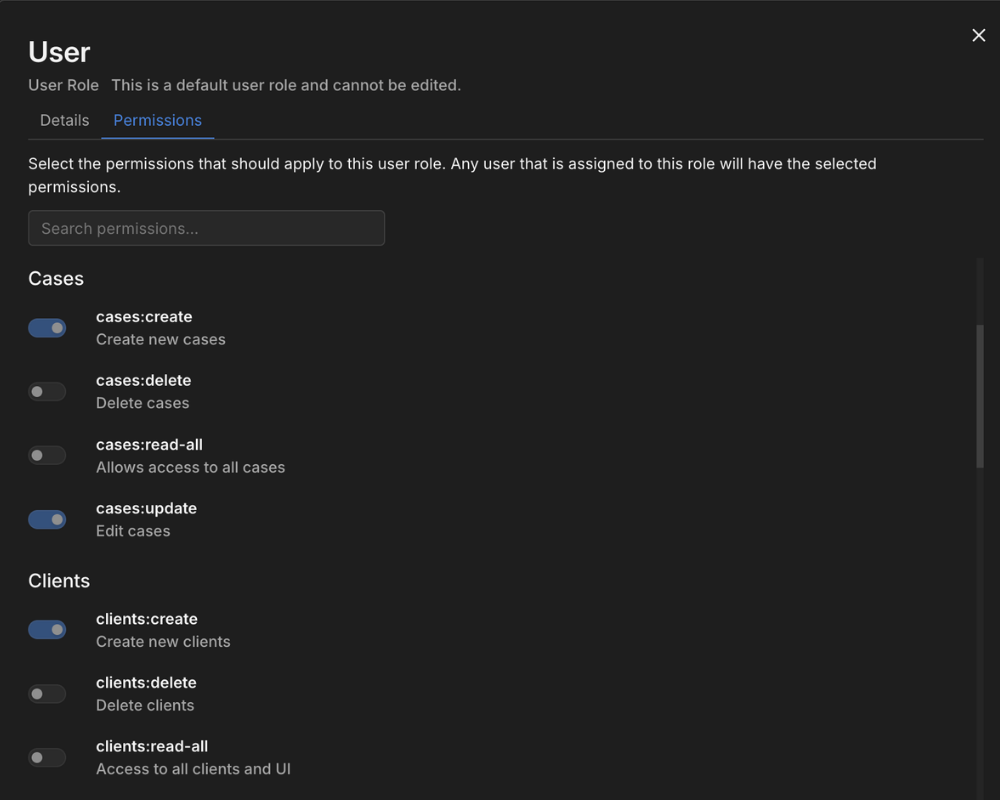
Control who can access what with configurable user roles and permissions. SSO integration lets your team authenticate through your existing identity provider.
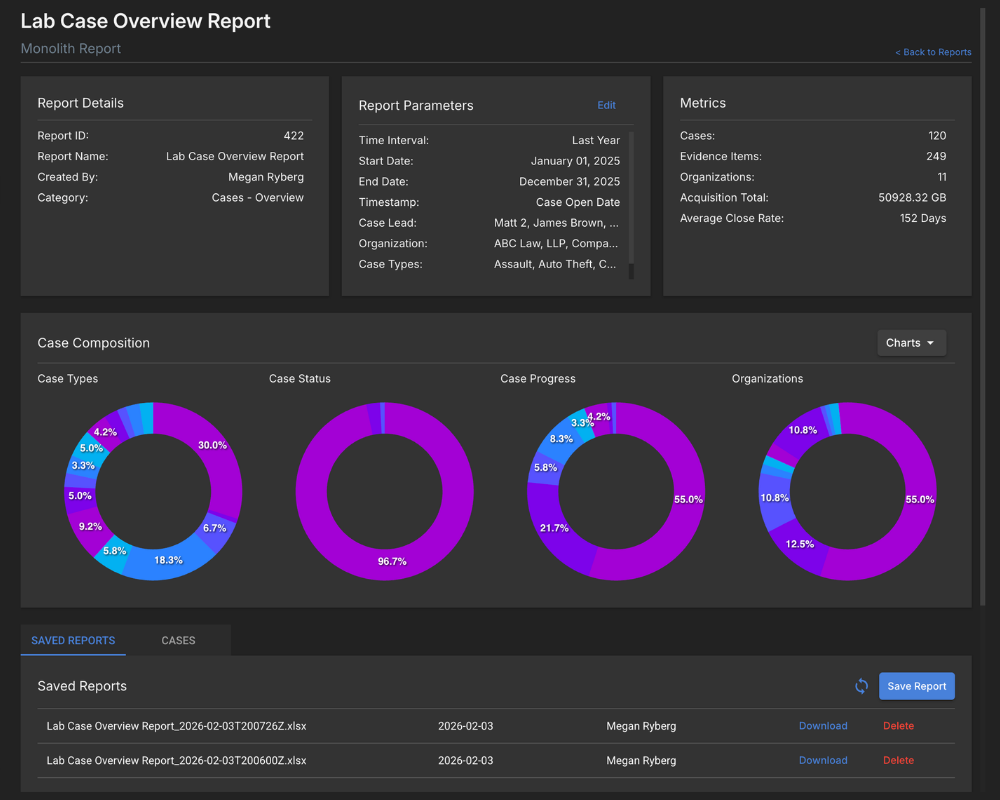
Build filtered metrics reports across cases, evidence, time entries, and other data points. Pull what you need, export it, and share it with the people asking for it.
Clients want a status update. Leadership needs a quarterly summary. A new RFP asks for operational benchmarks. Instead of assembling that data manually each time, Monolith gives you a repeatable way to pull metrics fast.
Get started with a free trial and a personalized walkthrough.