Project management designed for forensics workflows.
Monolith gives DFIR teams a single platform to manage tasks, cases, evidence, documentation, files, and reporting.
Cases, evidence, files, acquisitions, documentation, tasks, chain of custody, and reporting all live in the same system. Your team works from one central record instead of jumping between tools.

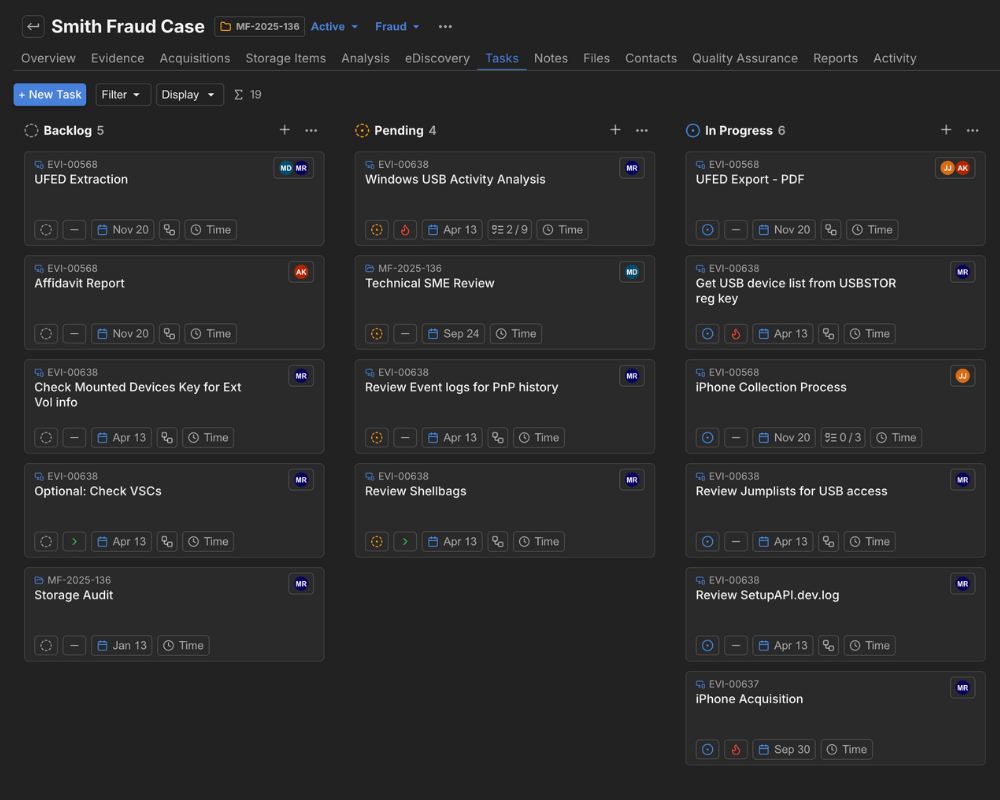
Your project management should understand your workflow. Monolith's task system is built around cases and evidence, so every task has context.
Create tasks and subtasks linked to specific cases and evidence items. Assign them to team members and track progress in a Kanban or list view.
Log time spent on tasks directly within the platform. Add time increments as you work, building a record of effort per task, per case, without a separate time tracking tool.
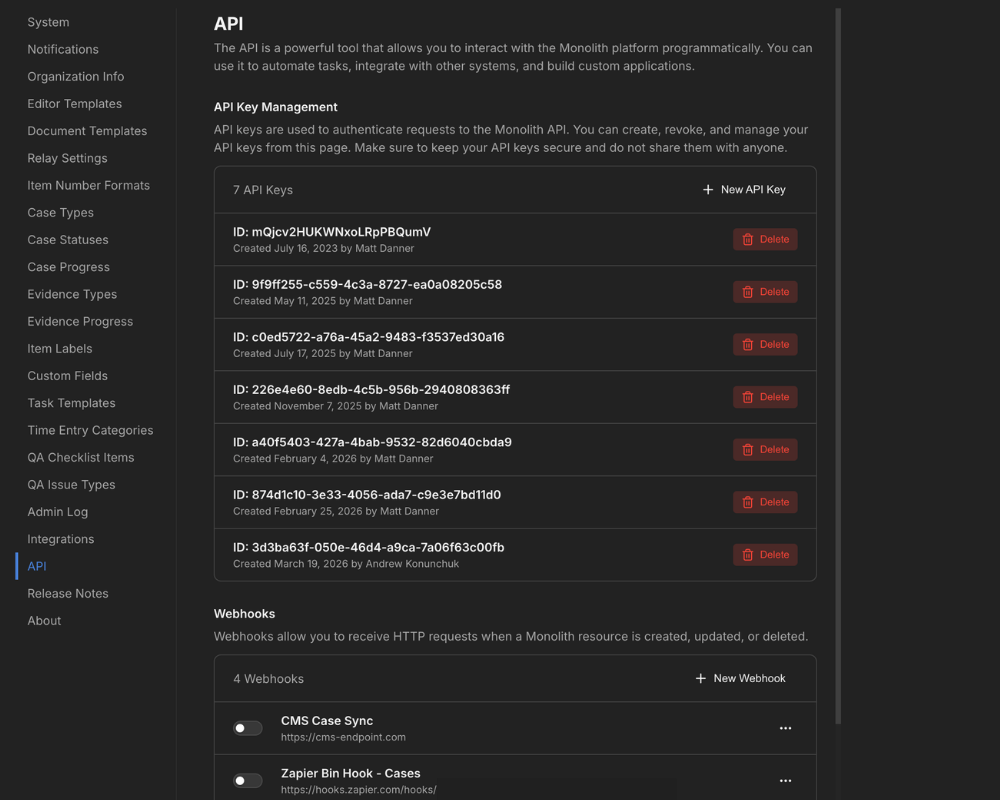
Set up custom workflows and connect Monolith to your other systems utilizing our powerful API. Sync case data, trigger automated notifications, or pull Monolith data into reporting dashboards.
Programmatically access case, evidence, chain of custody, task, and storage data, so you can build integrations that fit your forensics team's workflow.

Trigger automations when a case is created, evidence status is changed, or a task is completed in Monolith, saving you time on manual, repetitive work.
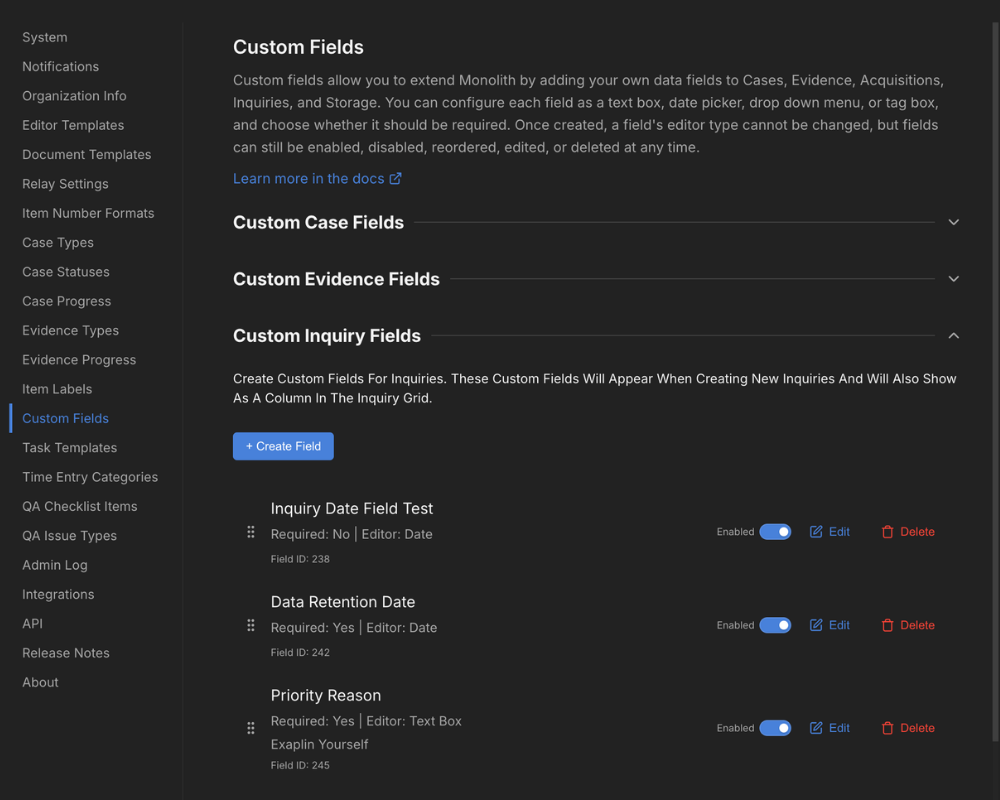
Every digital forensics team operates differently. Monolith lets you create custom fields across cases, evidence, acquisitions, storage items, and more to match how your team tracks information.
Set up custom fields that reflect the types of work your team does. Work on a lot of smartphones? Add fields for IMEI, PIN/Passcode, or whatever information is important to your forensics work.
Define your own case types, evidence types, statuses, and progress stages. Your team sees the categories and terminology they're used to rather than adapting to a generic structure.
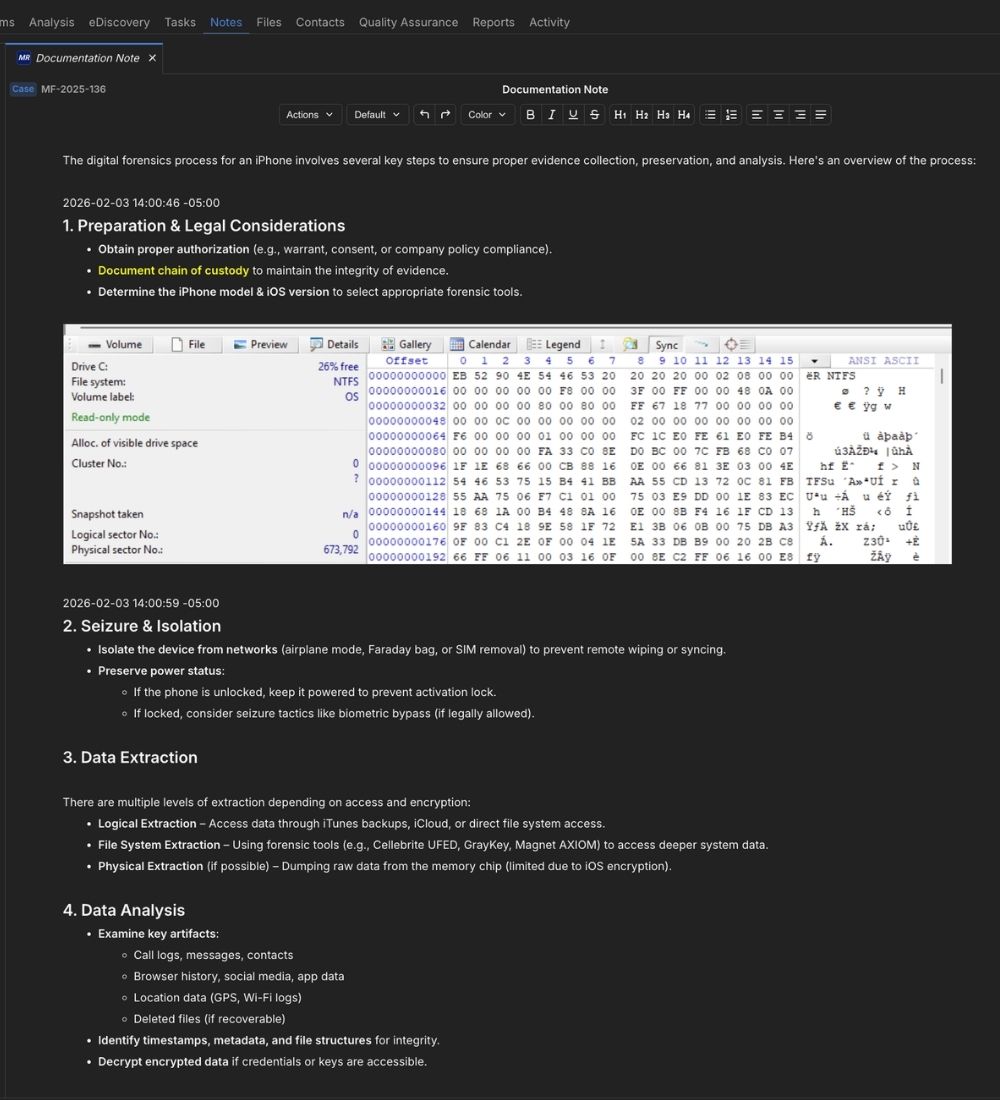
Document your process and findings in a rich text editor built directly into the platform. Notes link to cases, evidence items, or tasks, so documentation is always tied to the work it describes.
Embed images inline and add formatting with full rich text controls. Use slash commands to work fast and add timestamps. What you write and format carries directly into generated reports.
Reuse your preferred note structure with templates. Build a structure once, save it as a template, and share it with your team, saving you time and ensuring consistency across casework and team members.
Notes auto-save frequently and every version is stored. Your team can reference earlier drafts and revert back to a previous draft if needed.
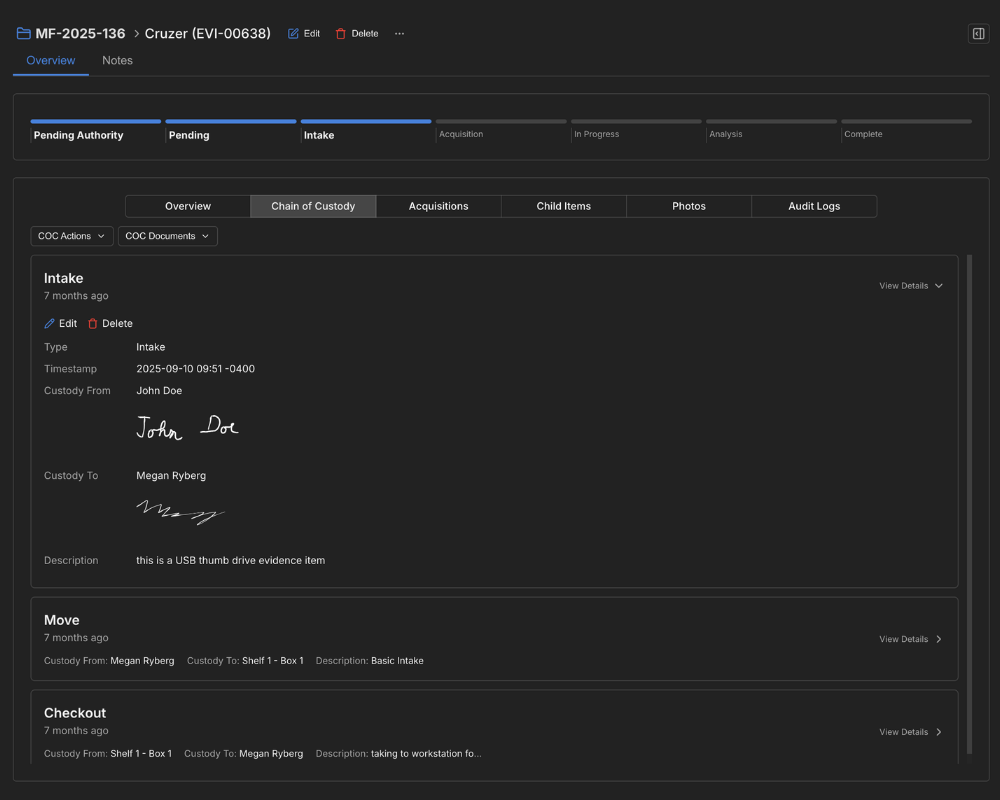
Log every evidence intake, move, checkout, and release within Monolith. Each entry is timestamped with user attribution, building a clear chain of custody record. Export COC reports when needed, or add them into your case report in two clicks.
When you generate a report, Monolith pulls in case data, evidence details, and your case notes into the generated report. Download as a Word Docx file for any finishing touches.
Write your summary and analysis directly within Monolith. When you generate the report, it's included automatically alongside the case data. No need to write in a separate tool.
Make your report look the way you want with Docx templates. Set the structure once and every subsequent report follows the same layout across your team.
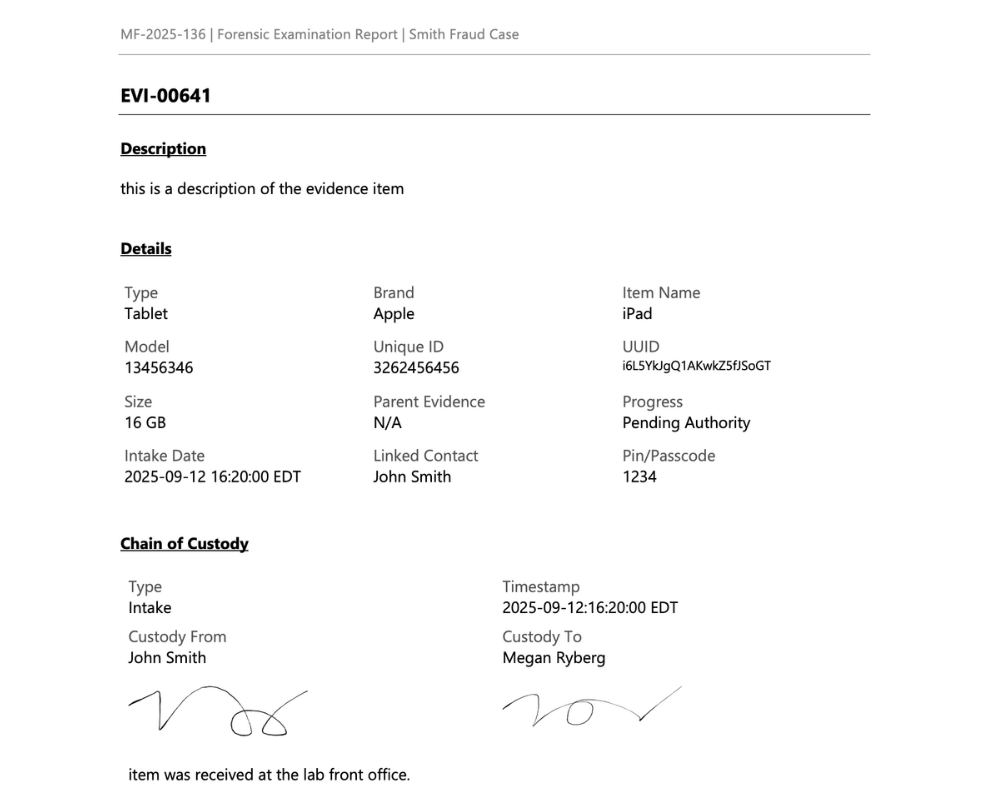
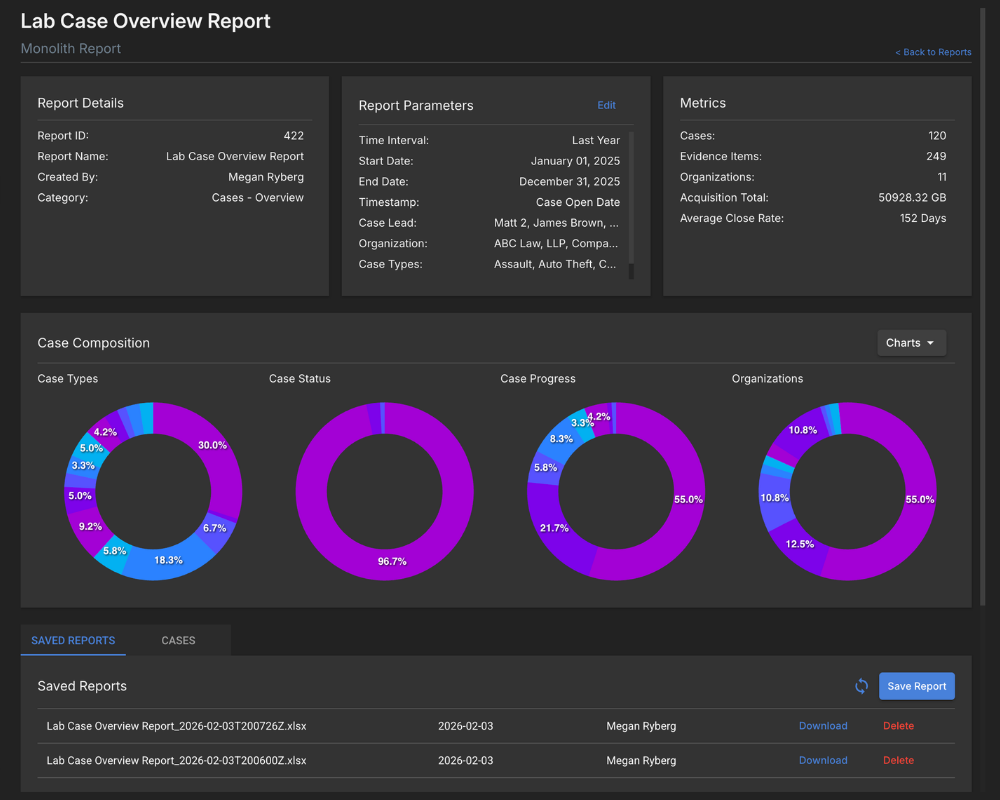
Build filtered reports across cases, evidence, time entries, QA processes, and other data points. Pull what you need and export it to share with whoever needs it.
Keep track of how much work is going through your lab. Quickly pull up metrics for case & evidence types, progress, and time tracked, so you can manage your team's capacity more efficiently.
Get started with a free trial and a personalized walkthrough.